9 Smart Home Routines That Save Time and Simplify Daily Life in 2026
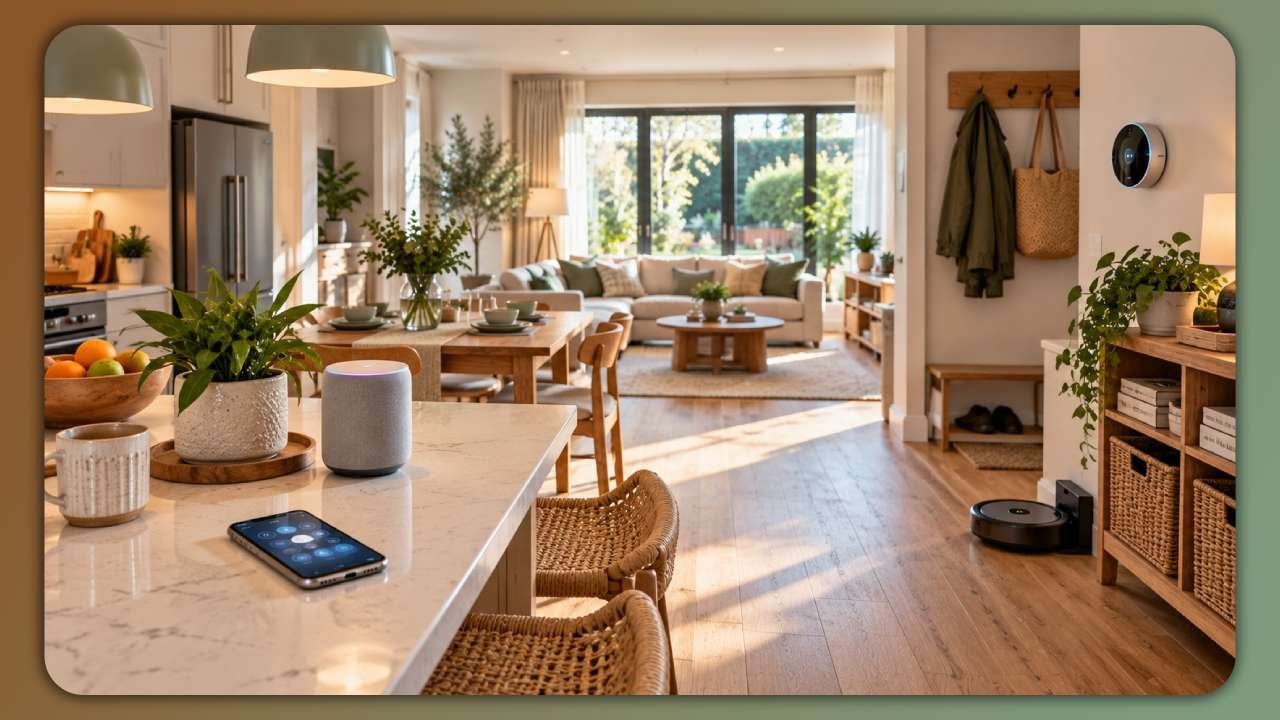
Smart Home Routines automate repeated household tasks through schedules, buttons, voice commands, or sensors. Start with lighting and reminders, then add routines for leaving home, cleaning, and bedtime.
You do not need a fully connected house to begin. One smart bulb or a phone reminder can remove a repeated daily decision. The 9 Smart Home Routines below focus on small homes, shared households, and manageable costs. You can create useful automation without replacing working appliances or rewiring a rented home.
What Makes Smart Home Routines Useful Instead of Complicated?
A useful routine joins one clear trigger to one helpful action. For example, sunset can switch on the hallway light. A voice command can add milk to your shared shopping list. A weekly calendar notification can start a 15-minute home reset.
What Triggers a Household Automation?
Use 4 common triggers: scheduled time, sunrise or sunset, a device sensor, and a spoken command. A trigger starts the routine. A condition limits the action, while an action performs the job. Your hallway light can turn on after sunset when a door sensor detects entry.
Which Routines Save Real Time?
Choose repeated decisions rather than impressive equipment. You gain a practical benefit when Smart Home Routines remove forgotten switches, repeated reminders, or unnecessary app checks. Start with tasks you already perform 5 days weekly. Record each repeated action before selecting devices or software.
How to Plan Smart Home Routines Without Buying Extra Devices
To plan Smart Home Routines without buying extra devices, list 3 daily annoyances and choose one simple trigger for each. Check your current phone, lighting app, and voice assistant before purchasing hardware. Many reminder and calendar routines need no smart-home equipment.
How to Choose One Automation Platform
To choose one automation platform, identify the apps and products you already own. Amazon Alexa, Google Home, and Apple Home support different routines and compatible devices. If This Then That (IFTTT) connects certain services across brands. Check each device’s supported actions before promising cross-platform control.
How to Keep Manual Controls Available
To keep manual controls available, retain accessible wall switches, physical buttons, and ordinary door keys. Smart Home Routines must remain convenient for guests, children, and household members without smartphones. Give each routine a clear name, such as Morning Light or Leave Home. Test one routine for 7 days before adding another.
How to Automate Your Morning Lighting and Reminders
To automate your morning lighting and reminders, schedule a bedroom lamp and one spoken or phone reminder before breakfast. Use a 10-minute lighting transition when your bulb supports gradual brightness. Avoid activating every room before someone needs the space.
How to Set a Weekday Wake-Up Trigger
To set a weekday wake-up trigger, select Monday through Friday and your normal alarm time. Create a separate weekend schedule rather than forcing one timetable onto 7 different mornings. Set the lamp to a comfortable brightness and test the first 2 mornings.
How to Add One Helpful Morning Reminder
To add one helpful morning reminder, announce today’s calendar or display a checklist after the alarm. Include 3 actions: collect keys, pack lunch, and check the weather. Smart Home Routines support preparation when reminders follow your actual departure time. Keep speaker volume low in bedrooms that other people share.
How to Set an Away Routine Without Disrupting Anyone Home
To set an away routine without disrupting anyone home, use a deliberate button or voice command before enabling location-based automation. Switch off unneeded lamps and adjust compatible heating controls. Never assume an empty home from one person’s phone location.
How to Group Safe Departure Actions
To group safe departure actions, select lights, suitable low-power electronics, and your thermostat’s away setting. Keep refrigerators, medical equipment, network equipment, and essential devices outside any power-off group. Check every smart plug’s electrical rating and the appliance manufacturer’s instructions.
How to Account for Other Household Members
To account for other household members, add a manual Away button near your exit. Ask occupants to confirm the house is empty before activating the scene. Smart Home Routines should never turn off an occupied workspace because one resident leaves. Check smart locks and alarms directly before departure.
You can pair departure automation with an organised entryway. SpaceKeep’s guide to declutter your home effectively explains how to assign fixed places for keys, bags, and shoes.
How to Welcome Yourself Home With Better Entry Lighting
To welcome yourself home with better entry lighting, activate one hall lamp when someone enters after dark. Choose a door-contact sensor or compatible smart-lock event if your system supports the trigger. Keep a regular switch available for unreliable connections.
How to Use Sunset as a Condition
To use sunset as a condition, limit your entry light to the hours between sunset and your chosen bedtime. Sunset-based timing adjusts with the seasons where your platform supports local sunset data. Check the home’s location settings before testing evening automation.
How to Prevent Unwanted Arrival Alerts
To prevent unwanted arrival alerts, keep routine notifications separate from doorbell and security warnings. A sensor can turn on the hall lamp without sending 5 repeated phone messages. Smart Home Routines feel simpler when only urgent events create notifications. Confirm your motion sensor recognises normal household movement.
How to Start a Focused Work-from-Home Routine
To start a focused work-from-home routine, group desk lighting, a calendar reminder, and your phone’s focus setting. Launch the group with one deliberate command when you sit down. Avoid automatic audio playback during calls or shared working hours.
How to Create a Clear Work Zone
To create a clear work zone, reserve a desk surface for your screen, keyboard, and one notebook. Place charging equipment beneath the desk when ventilation and device instructions allow. Keep a 3-foot (0.9-metre) walking route clear beside your chair. A small home office layout helps you plan cramped corners without permanent changes.
How to Build an End-of-Work Trigger
To build an end-of-work trigger, use your calendar’s finishing time to remind you to close work applications. Switch off desk lighting after you finish, not automatically during late meetings. Smart Home Routines work better when you control the final action. Leave essential computer backups and updates undisturbed.
How to Schedule a Low-Effort Cleaning Routine
To schedule a low-effort cleaning routine, choose one predictable cleaning task and assign a time or reminder. A compatible robot vacuum can clean clear floors while you handle another chore. A phone timer works equally well for wiping counters or putting away laundry.
How to Prepare Floors for Automatic Vacuuming
To prepare floors for automatic vacuuming, pick up cables, socks, and lightweight toys before the scheduled start. Clear a 2-foot (60-centimetre) approach around the charging dock when your model requires that clearance. Follow the robot vacuum’s actual dock-spacing instructions. Block stairs and sensitive rooms using supported maps or physical barriers.
How to Pair Cleaning With a Five-Minute Reset
To pair cleaning with a five-minute reset, set an evening notification for dishes, cushions, and loose paperwork. Use Smart Home Routines to signal a fixed start time, not to create another lengthy chore list. Five minutes daily keeps the task manageable. Record who handles each shared task inside a family calendar.
How to Organise Grocery and Meal Reminders
To organise grocery and meal reminders, keep one shared shopping list and attach reminders to 2 regular planning times. Voice assistants and phone apps can capture items when you notice supplies running low. You can begin without connected fridges, shelves, or specialist sensors.
How to Maintain One Household Shopping List
To maintain one household shopping list, choose a shared app everyone can open. Group entries under food, toiletries, and cleaning supplies. Add exact quantities, such as 2 cartons of milk or 1 packet of rice. Smart Home Routines prevent duplicate reminders when the household uses one list.
How to Add a Simple Weekly Meal Trigger
To add a simple weekly meal trigger, schedule a 15-minute review on Sunday evening. Check your fridge, choose 3 dinners, and add missing ingredients immediately. A recurring calendar event works without a connected kitchen. Avoid automating cooking or switching heating appliances through unsuitable smart plugs.
How to Prepare a Calm Evening With Smart Lighting
To prepare a calm evening with smart lighting, schedule comfortable living-room light levels and reduce unnecessary speaker alerts. Start 30 minutes before your preferred bedtime. Smart Home Routines can support a regular winding-down schedule without controlling every appliance.
How to Create One Relaxed Lighting Scene
To create one relaxed lighting scene, choose the lamps you actually use after dinner. Set a lower brightness than your daytime preference. Use warm-white lighting if your bulbs support colour adjustment. Keep enough light for walking, reading, and household tasks.
How to Respect Quiet Hours in Shared Homes
To respect quiet hours in shared homes, silence routine announcements during agreed sleeping hours. Use a phone notification for personal reminders instead of a whole-home speaker message. Smart Home Routines should accommodate different bedtimes and shift-work schedules. Ask everyone before changing shared evening lights.
How to Set a Nighttime Safety and Reminder Check
To set a nighttime safety and reminder check, create a deliberate Good Night action for lights and nonessential equipment. Add door-status or leak alerts only when reliable sensors are available. Never treat app notifications as a substitute for working smoke alarms or physical checks.
How to Choose Useful Nighttime Alerts
To choose useful nighttime alerts, prioritise a water-leak sensor, a door-left-open alert, and a low-temperature notification where needed. Test each sensor’s battery and internet dependence. Keep notifications directed to an adult who can respond. Avoid unnecessary camera recording in private indoor spaces.
How to Keep Essential Power Running
To keep essential power running, exclude routers, refrigeration, safety equipment, and medical devices from shutdown scenes. Do not use generic smart plugs for unattended heaters, cookers, or other high-heat equipment. Smart Home Routines should handle convenience, not replace active supervision or electrical safety controls.
How to Maintain Smart Home Routines Every Week
To maintain Smart Home Routines every week, reserve 10 minutes to check triggers, batteries, schedules, and household feedback. Remove any automation that creates repeated false alerts or unwanted interruptions. You do not need a complex dashboard to track 9 useful routines.
How to Run a Weekly Automation Test
To run a weekly automation test, activate each important routine while someone watches the result. Check whether the correct lamp changes, the reminder arrives, and manual controls still work. Make a note of failed actions. Fix 1 problem at a time before changing the entire setup.
How to Reassess Routines After Household Changes
To reassess routines after household changes, update schedules when school terms, shifts, or daylight hours change. Remove access for former household members and review shared account permissions. Smart Home Routines need clear ownership, especially in rental homes and shared flats. Keep device firmware and apps updated through trusted sources.
Which Smart Home Routines Should You Start With?
Start with morning lighting, an entry light, or a weekly reminder. Each example uses an easy-to-understand trigger. The timings below describe suggested setup sessions, not guaranteed savings or performance.
| Task | Timing | Method | Difficulty |
| Morning lighting | 10 minutes setup | Weekday time trigger | Easy |
| Away mode | 15 minutes setup | Manual scene button | Medium |
| Arrival lighting | 15 minutes setup | Door sensor plus sunset | Medium |
| Work mode | 10 minutes setup | Lighting plus focus reminder | Easy |
| Cleaning | 10 minutes setup | Robot schedule or phone timer | Easy |
| Groceries | 10 minutes setup | Shared list and calendar | Easy |
| Evening lighting | 10 minutes setup | Timed lighting scene | Easy |
| Night check | 15 minutes setup | Manual check plus sensor alerts | Medium |
| Weekly review | 10 minutes weekly | Calendar reminder and testing | Easy |
How to Fix Smart Home Routines That Fail or Interrupt You
To fix Smart Home Routines that fail or interrupt you, inspect the trigger before changing the entire routine. Check the device connection, household schedule, app permissions, and power supply. A location trigger can fail when phone permissions change. A sensor can misfire when its battery weakens.
How to Check a Missed Trigger
To check a missed trigger, run the routine manually and verify each connected action. Confirm correct time zones, daylight settings, and network coverage. Test a different trigger if the original depends on unreliable location data. Document your working configuration before editing more settings.
How to Reduce Excess Notifications
To reduce excess notifications, remove duplicate announcements and extend sensor delays where suitable. Retain urgent water-leak and entry warnings. Use Smart Home Routines for meaningful changes rather than reports about every light switch. Review alert settings after 7 days of normal use.
Frequently Asked Questions About Smart Home Routines
Do Smart Home Routines Work Without a Smart Speaker?
Yes. Phone reminders and compatible device apps can run scheduled actions without a voice speaker. Check each product’s requirements first.
Can You Use Smart Home Routines in a Rented Flat?
Yes. Choose plug-in lamps, compatible bulbs, and removable sensors. Follow your tenancy agreement before mounting equipment or modifying wiring.
Do Smart Home Routines Need Internet Access?
Not always. Some local hubs support selected actions offline. Cloud-based services and remote notifications usually need an internet connection.
Should You Automate All Household Appliances?
No. Avoid automating unsafe or essential loads through general-purpose smart plugs. Follow manufacturer ratings and retain manual supervision where required.
How Many Smart Home Routines Should Beginners Create?
Start with 3 routines. Test each for 7 days, then add another when your household consistently benefits.
Build a Home That Works Around Your Daily Schedule
Smart Home Routines succeed when you repeat fewer decisions and still control your home when technology fails. Begin with 3 practical routines, review results weekly, and keep physical spaces organised. For low-cost storage and daily maintenance ideas, explore SpaceKeep’s practical home organization ideas and choose one change to make today.